After years of insisting it didn't need magnets, Razer has built a magnetic keyboard. At $239 it's cheaper than its rivals here, and it gets there by leaving a lot out. Here's whether the trade is worth making.
Patch Bowen·23 Sept 2026·8 min read
For years, Razer's position on magnetic switches was that it didn't need them. Its optical switches were more precise, it argued, and magnets were too volatile to control well. Other brands disagreed, and some have been selling magnetic keyboards since 2019.
The Razer Huntsman V3 HE Magnetic TKL 8KHz is Razer changing its mind. It's the company's first Hall Effect keyboard, it costs $239 in New Zealand, and it arrives in a market that has had years to refine the idea. I've been using it for both gaming and work to find out whether turning up late has cost Razer anything.
The Razer Huntsman V3 HE Magnetic TKL is a solid, well priced Hall Effect gaming keyboard. It feels excellent in games and undercuts rivals from Logitech and Corsair in NZ, but it's wired only, has no wrist rest, media dial or hot swapping, and nothing on it is new to the market.
Pros
Sturdy aluminium alloy top plate
Excellent gaming feel, with Rapid Trigger tightening movement straight away
Durable textured doubleshot PBT keycaps
Full set of magnetic gaming features that are easy to set up
Synapse Web allows browser based setup with nothing to install
Cheaper than rivals from Logitech and Corsair in NZ
Cons
Wired only
No wrist rest included, despite full height keys
No media dial or screen
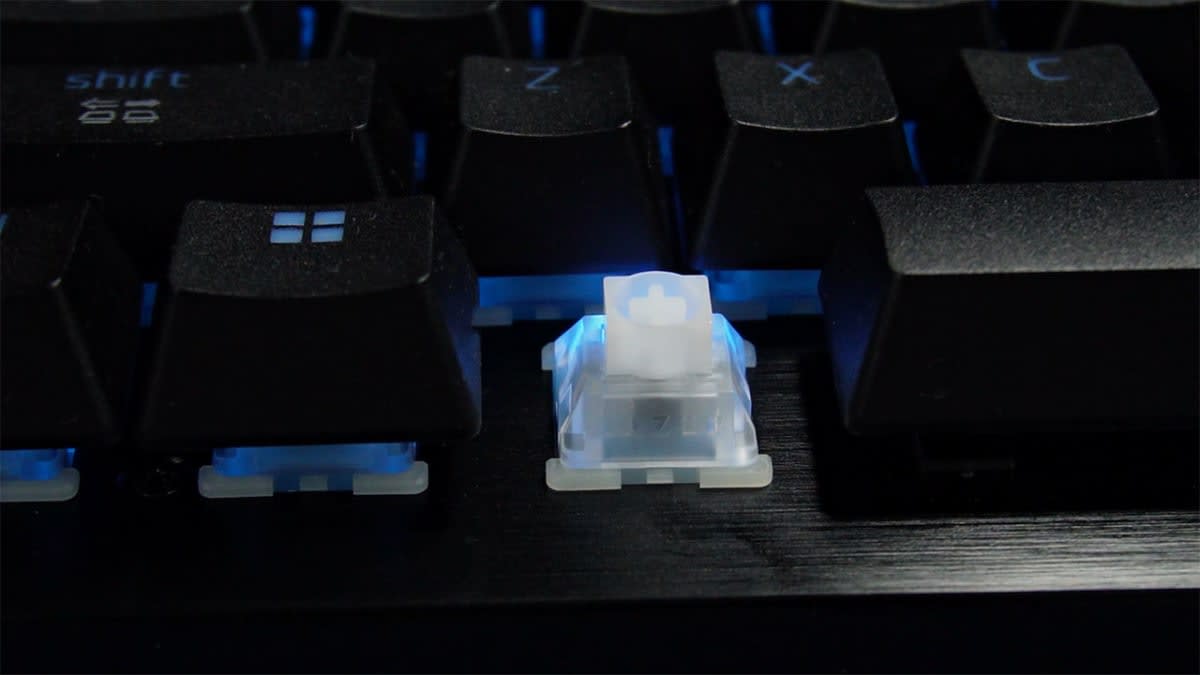
One linear switch option, and no hot swapping
Price and who it suits
Razer pitches the Huntsman V3 HE squarely at competitive gamers, and its pricing reflects a clear decision about where the money goes. At $239, it undercuts its two closest rivals here, the Logitech G Pro X TKL Rapid at around $259 and the Corsair K70 Pro TKL at around $300. A Mini 65% version is available for a little less if you want something smaller.
The savings come from what's been left out. The Huntsman is wired only, and there's no wrist rest in the box, no media dial, no screen and no hot swappable switches. Whether that's a fair trade depends on how many of those you'd actually use.
Design: solid, but stripped back
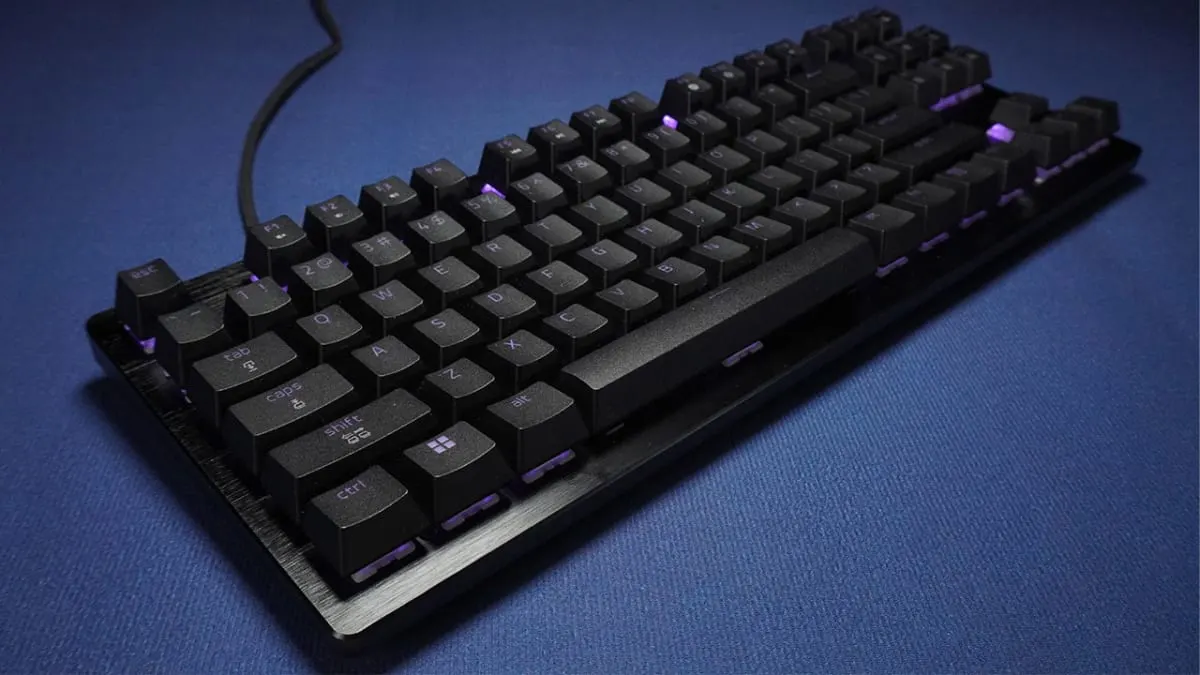
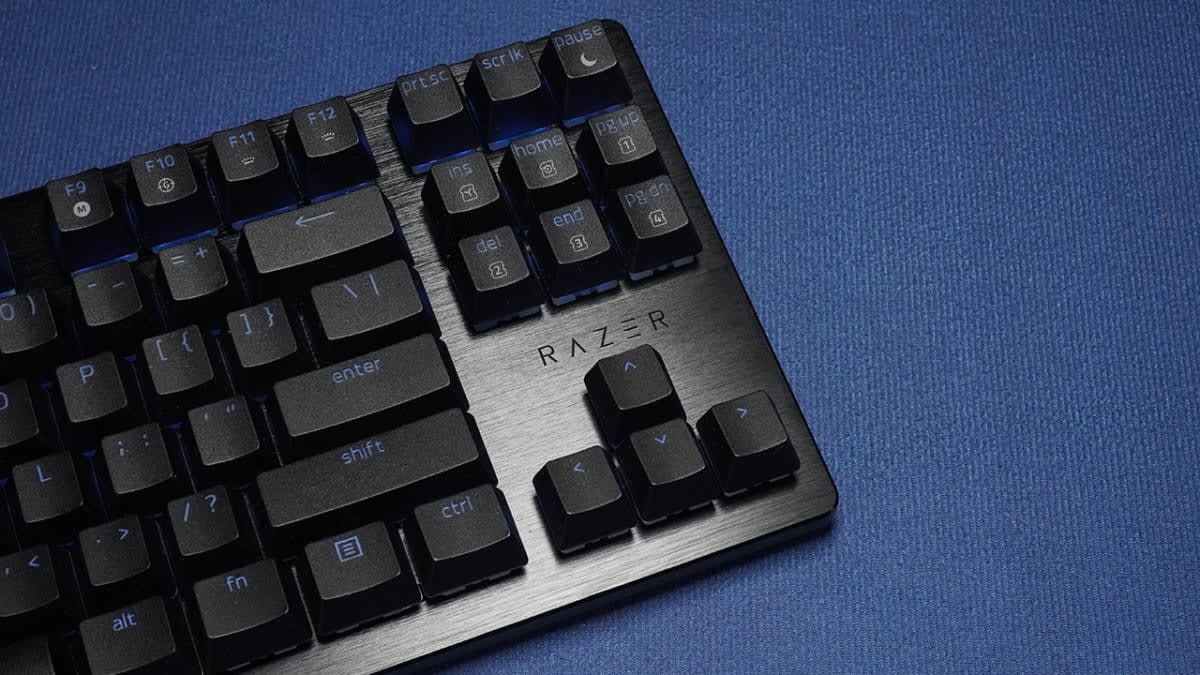
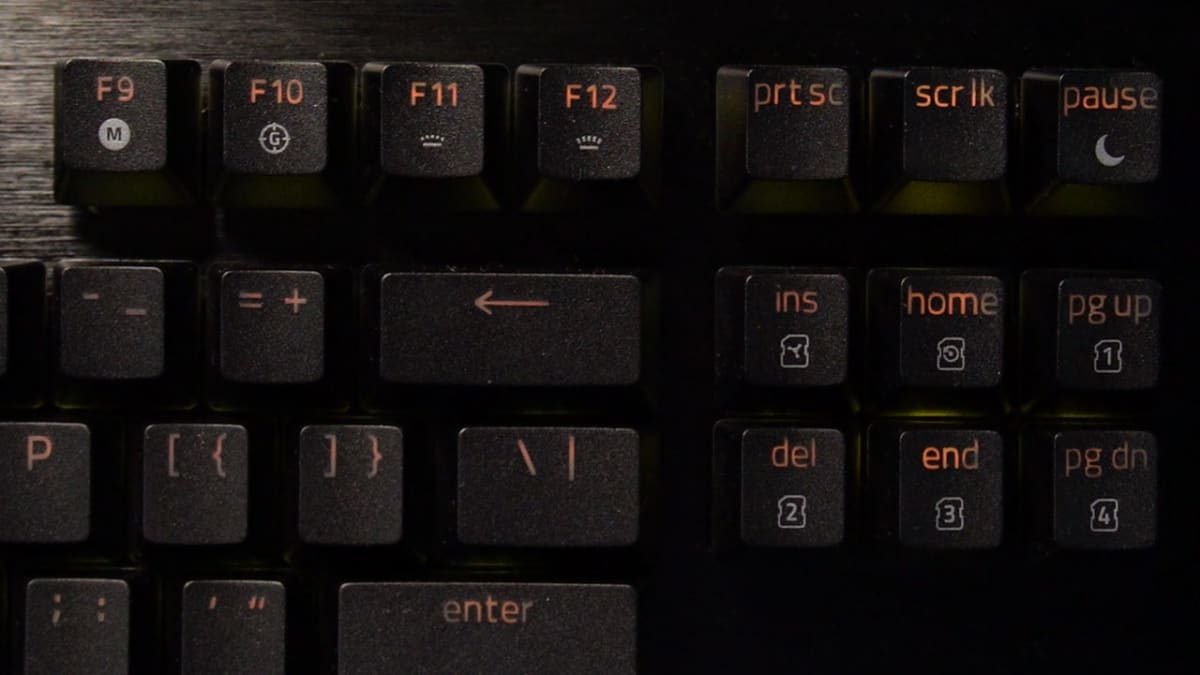
Build quality is not where Razer has saved money. The aluminium alloy top plate gives the whole board a reassuring rigidity, and the textured doubleshot PBT keycaps are the durable kind that should hold up to years of heavy use. Every key is individually lit, and the tenkeyless layout drops the numpad to free up room for your mouse.
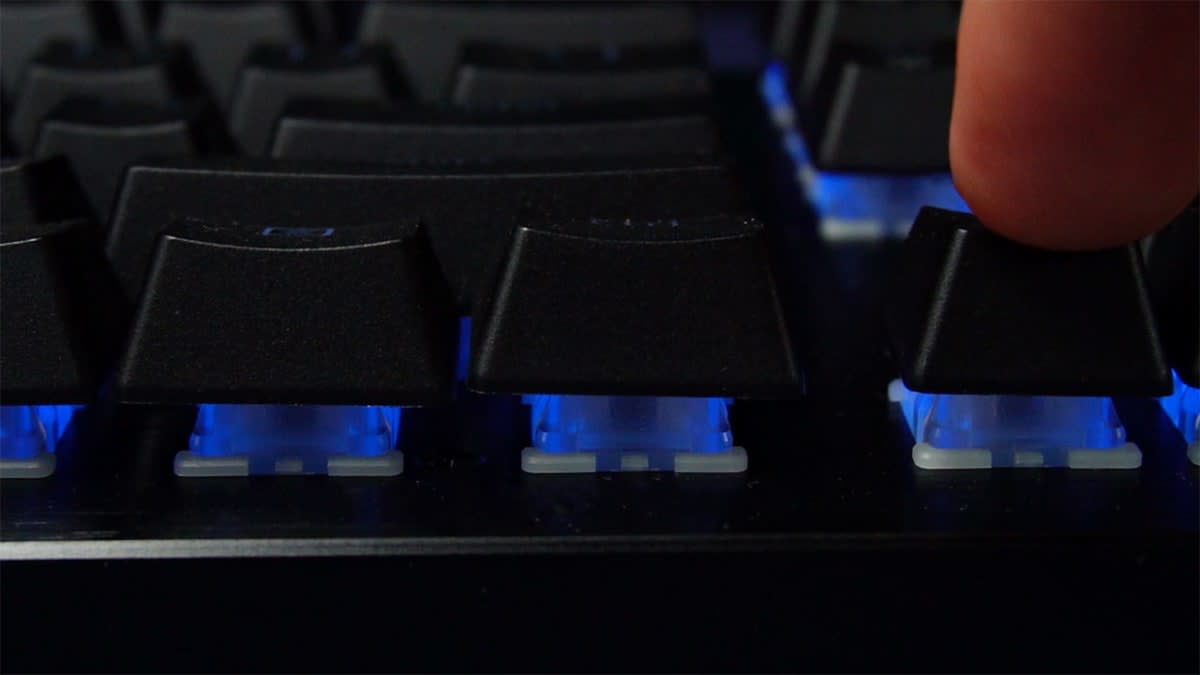
This is a full height keyboard, which is worth knowing if you're moving from something slimmer. Next to Logitech's low profile G515, the Huntsman towers over it. Next to the HyperX Alloy Rise 75, though, it's slightly shorter, so it sits somewhere in the middle for a standard board.
That height makes the missing wrist rest more noticeable. Razer does sell an Ergonomic Wrist Rest separately, although I haven't tried one and can't confirm it fits this board. The omission I felt most was the media dial. I use one every day, and it's the kind of thing you don't appreciate until it's gone.
How the Hall Effect switches work
A standard switch only knows two states, pressed or not pressed. A Hall Effect switch uses a magnet to measure exactly how far down the key is at any moment, and that measurement is what makes everything else on this keyboard possible.
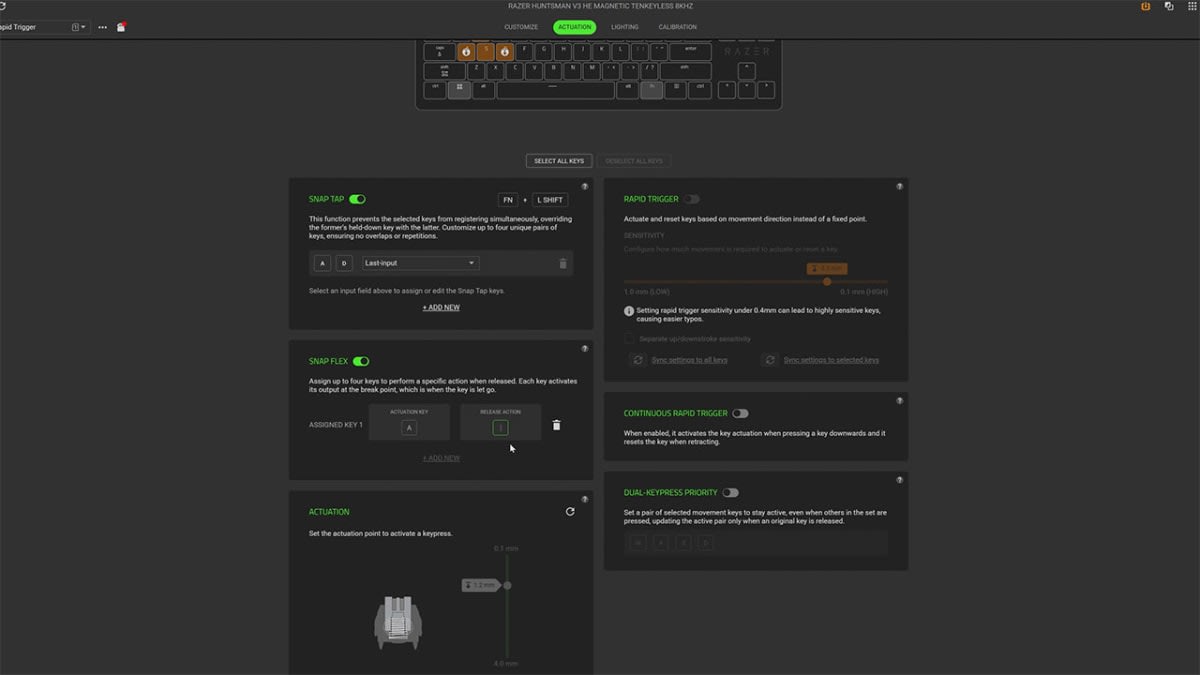
The most obvious benefit is adjustable actuation. You choose where each key registers, anywhere from 0.1 mm to 4 mm into the press. Rapid Trigger builds on that by resetting a key the instant it starts to rise, rather than waiting for it to pass a fixed point, so repeated inputs come through faster.
Razer layers several more features on top:
Snap Tap lets the most recent key take priority, even if you're still holding the previous one.
Snap Flex assigns two actions to a single key, one when you press it and another when you let go.
Dynamic Keystroke maps up to four actions to one key based on how deep you press.
Dual-Keypress Priority guards your movement inputs against accidental presses, keeping movement consistent.
Everything was straightforward to configure and worked as described. The catch is that very little of it is new. These features have been common on competing magnetic keyboards for years, and several appeared on Razer's own boards first. Razer is meeting the bar here rather than raising it, which makes the Huntsman competent but hard to get excited about.
On paper it's quick. It polls at a true 8000Hz, and Razer quotes an average latency of 0.60 ms from its own testing. Razer is also upfront that its optical keyboards are faster still, which is an unusually honest admission for a product launch.
Gaming performance
In games, the Huntsman is excellent. Inputs feel sharp and immediate, and Rapid Trigger tightens up movement from the very first match. I couldn't find anything to fault. At the same time, there's little that sets it apart, and the improvement will be most obvious if you're upgrading from a much older keyboard.
Typing comfort and noise
Because I use the same keyboard for work, typing matters to me as much as gaming. The linear switches are smooth, and as long as you're comfortable with full height keys, it's fine for a full working day.
Noise is the bigger issue. Side by side with the Logitech G515 and the HyperX Alloy Rise 75, the Huntsman is clearly louder than the Logitech and roughly level with the HyperX. It isn't obnoxious, but every press lands with a distinct tap.
With only one linear switch option and no hot swapping, there's no way to change that sound. What you hear out of the box is what you'll live with.
Customisation runs through Razer Synapse. It does the job, but it's a large install and can feel clunky to use.
The more interesting option is Synapse Web, currently in beta. Plug the keyboard in, open a browser, and you can adjust everything without installing a thing. Settings save to the onboard memory, so your setup travels with the keyboard between PCs. If you move between machines, or use computers where you can't install software, it's one of the most useful things about the Huntsman.
Verdict: is the Razer Huntsman V3 HE Magnetic TKL worth it in NZ?
The Huntsman V3 HE Magnetic TKL is Razer catching up. The switches are new to Razer, but nothing here is new to the market. Wooting and SteelSeries have offered the same features for years, and Razer's own optical boards already had most of them.
What Razer has avoided is charging extra for arriving late. At $239 it's cheaper than the big name competition from Logitech, Corsair and SteelSeries, and it gets there by leaving things out rather than skimping on the fundamentals. If wireless, a wrist rest, a media dial or swappable switches are on your list, look elsewhere. If they aren't, you're getting a sturdy aluminium board with excellent gaming performance, durable keycaps and a full set of features that work properly.
It suits the player who wants the benefits of a magnetic keyboard without any tinkering, no switch swapping and no hunting for keycaps, just plug in and play. It won't push the industry forward, but it's a well judged first attempt at a sharp price.
People also ask
How much is the Razer Huntsman V3 HE Magnetic TKL in NZ?
It's $239 in New Zealand. The Mini 65% version costs a little less.
Is the Razer Huntsman V3 HE Magnetic TKL wireless?
No. It's wired only, using a detachable USB-C cable.
Does the Razer Huntsman V3 HE Magnetic TKL have hot swappable switches?
No. It comes with one linear Hall Effect switch option and the switches can't be swapped.
Does it come with a wrist rest?
No, there's no wrist rest in the box, which is a shame given the full height keys.
What's the difference between the TKL and Mini 65% versions?
Size and price. The Mini 65% is more compact and costs a little less, but both share the same Hall Effect switches, 8000Hz polling and software features.
Do you need Razer Synapse to use it?
Not necessarily. Synapse Web, currently in beta, lets you change settings in a browser without installing anything, and saves them to the keyboard's onboard memory.
Is the Razer Huntsman V3 HE Magnetic TKL faster than Razer optical keyboards?
No. Razer's own testing puts it at 0.60 ms average latency, and Razer openly says its optical keyboards are still faster.
Is it good for typing?
It's comfortable enough for a full day's work if you're happy with full height keys, but it's noticeably louder than a low profile keyboard.